
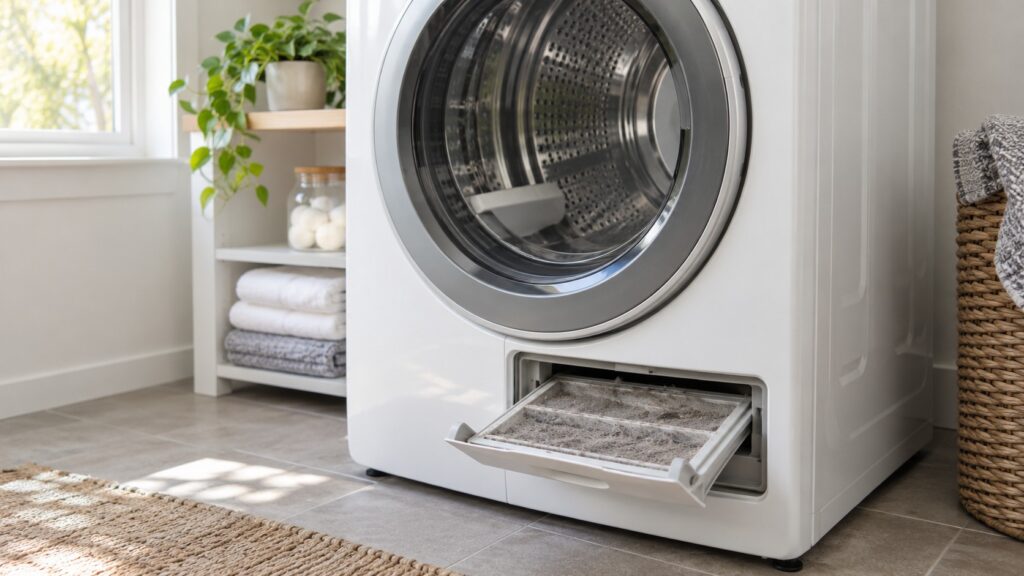
Taking care of the LG dryer filter sensor starts with the lint filter itself. The dryer checks that the filter is in place, so a filter that is missing, crooked or missing its small magnet can stop a cycle before it starts, with F0 or IF on the display. Clean the lint filter at the start of every load, wash it occasionally if you use dryer sheets, and push it fully home. That one habit prevents most filter codes, shortens drying times and keeps the airflow monitor happy.
How often should you clean an LG dryer lint filter?
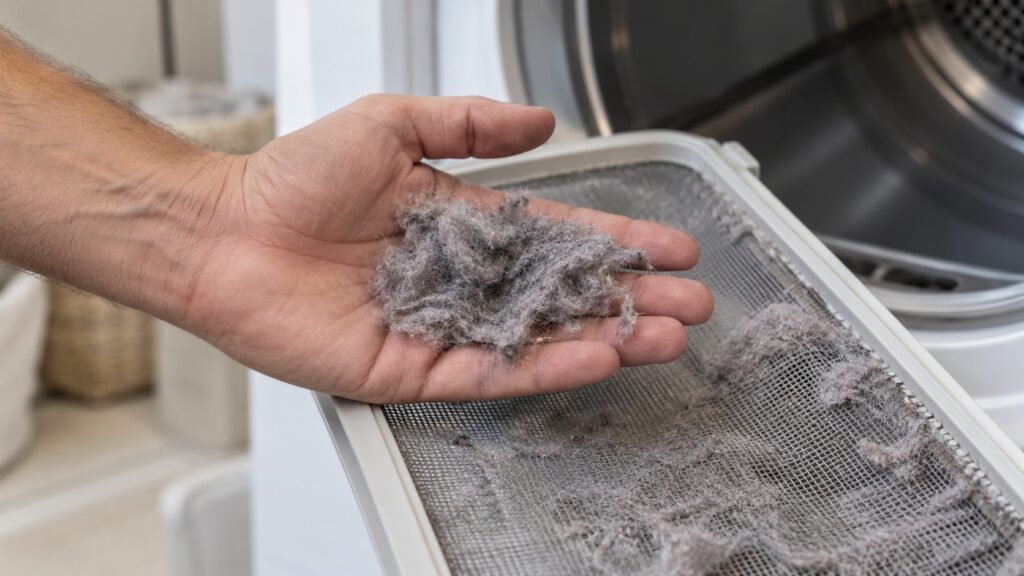
Every load. Our LG dryer cycle tips and several of our code pages say the same thing: clean the lint filter at the start of every load and wash it occasionally to remove dryer-sheet film. Pull the filter out, wipe the lint off with your hand, and look at the mesh. If water beads on it instead of soaking in, there is a film. Wash it in warm soapy water with a soft brush, rinse, let it dry completely and put it back.
While the filter is out, clear any lint from the filter slot with your fingers or a vacuum hose. Lint in the slot is listed among the causes of F0, because it can block the filter sensor.
What is the LG dryer filter sensor, and what do F0 and IF mean?
The dryer has a small sensor in the filter housing that checks the filter is there. Our F0 code page says F0 means the dryer does not detect the lint filter properly seated in its housing. It is a prompt to insert or reseat the filter, not a mechanical breakdown. The IF code page says IF means the dryer cannot confirm the filter assembly is in place, often because the small magnet that the sensor detects is missing or the filter is not fully assembled.
The owner-level steps are short. Insert the lint filter and push it fully down into its housing until it is seated. Check that a two-part filter is back together with no missing pieces. Check that the small magnet on the filter assembly is present and intact. Clear lint from the slot. If the code stays, switch the dryer off at the breaker for a minute, standing on a dry floor, and restore power. If F0 or IF persists with a complete, correctly seated filter, the housing sensor may be misreading and the dryer needs service. Do not open the dryer to look for it.
Which other sensor depends on a clean filter?
Sensor Dry. According to our tips page, LG Sensor Dry and AI Sensor Dry read moisture from sensor bars inside the drum and end the cycle when the clothes are dry, rather than for a fixed time. Fabric-softener film on those bars, a clogged lint filter, a restricted vent or an overloaded drum all throw off the reading and stretch the cycle. The same page says to wipe the bars inside the drum with a little vinegar to clear residue. A dryer that always runs long may need exactly that, together with a clean filter. Our guide to an LG dryer that takes too long lists the other causes.
How does the filter relate to the Flow Sense duct warnings?
Flow Sense measures airflow through the exhaust and reports a number that approximates the percent blockage: d75 about 75 percent, d80 about 80, d90 about 90, and d95 about 95 or more. Our code pages say d75 and d80 are information warnings, d90 means the cycle may cool and stop, and d95 means it stops immediately. A clogged lint filter alone can raise the number, so clean the filter first, then the exhaust duct. For the duct side, read our LG dryer vent cleaning guide, which covers the full run to the exterior.
If d90 or d95 returns after a thorough cleaning, a technician should check for a collapsed duct, an undersized vent or a Flow Sense sensor fault. See the guide to the LG dryer d90 and d95 code.
A simple routine ties all of this together: empty the lint filter before each load, reseat it with a firm push, and wash it whenever the mesh looks glazed. Keep the owner’s manual handy for how your model’s filter comes apart, because the design differs between models. Doing this takes seconds and removes the most common causes of a dryer that will not start, runs too long or warns about its duct.
What should you leave to a technician?
Everything beyond the removable filter. Do not take off panels, reach into the filter housing past the slot, or try to test or replace the sensor. A technician may inspect the lint filter assembly, the exhaust duct, the vent flap and the transition hose, and can confirm whether a sensor has failed. Our LG dryer repair page explains what a visit covers. If you notice a burning smell, switch the dryer off at the breaker, standing on a dry floor, and call.