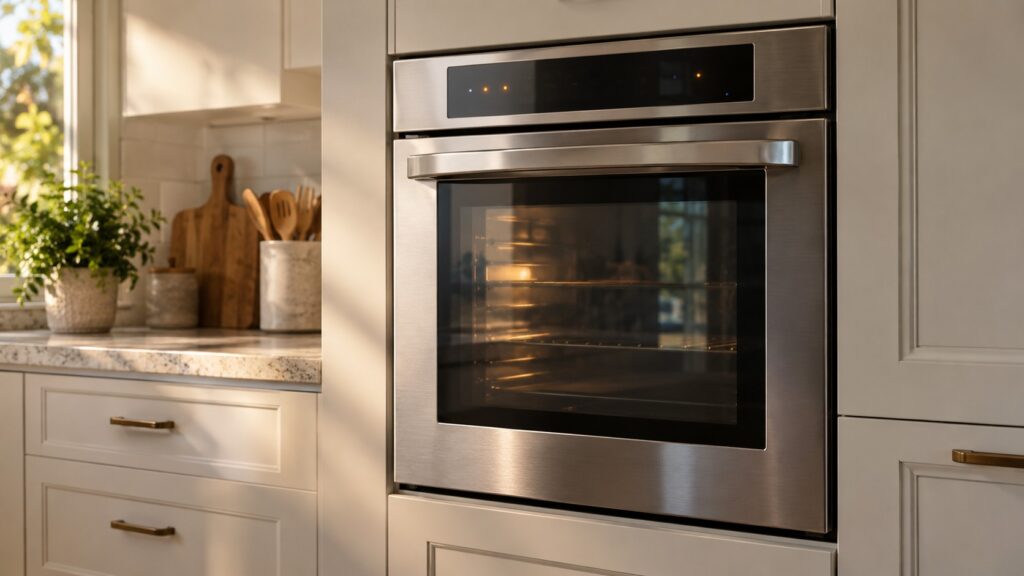
If an LG oven fan is not working, first work out which fan you mean. The convection fan inside the oven only runs in convection modes and stops when you open the door; the cooling fan behind the control panel runs while the oven is hot and keeps going afterward. Check the mode, listen for the cooling fan, then switch off the power if a fan is silent or grinding. A fan that never starts or keeps stalling usually needs a motor or wiring repair.
People search for “LG oven fan not working” for two different reasons. Some notice that a convection bake cooks unevenly and the familiar hum from inside the oven is gone. Others hear nothing from the cooling fan after a long bake, or smell hot plastic near the control panel. Both are worth taking seriously, but they have different causes and different urgency. This guide separates the two fans, lists what to check from the kitchen, and explains when a silent fan is a nuisance and when it is a reason to stop using the oven.
Which fan in my LG oven is not working?
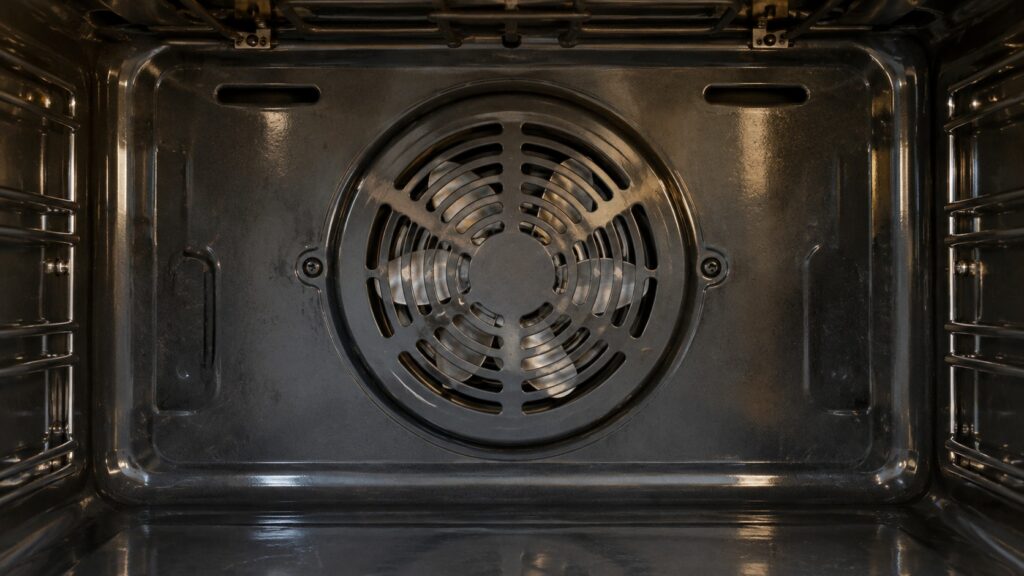
An LG oven has two kinds of fan, and they do not run together. The convection fan sits at the back wall of the oven cavity, behind a cover. It spins in convection modes to push hot air around the food, which is how convection bake and convection roast get an even result. The cooling fan sits outside the cavity, in the space above and behind the oven. It pulls room air through the cabinet to keep the controls and the wiring from overheating, and you hear it as a steady whoosh from the vent above the door.
Because the convection fan is only used in some modes, a quiet cavity during ordinary bake is normal. If you want to know what your oven is supposed to do in each mode, our glossary of LG ProBake and EasyClean explains the cooking modes in plain language.
Is the convection fan supposed to be running right now?
Start by checking the mode. Select a convection bake or roast, preheat the oven and listen near the door. If the fan runs, you will hear it, and a thin strip of paper held near the back wall will flutter. If you are in plain bake or broil, the convection fan may not run at all, which is normal for many models. Do not open the door to listen mid-cycle: the fan is wired to stop when the door opens, and you will only conclude that it has failed.
If you are in a convection mode and hear nothing after the oven has reached temperature, note whether the food cooks unevenly and whether the oven takes longer than usual to preheat. A convection fan that has failed does not stop the oven from heating; it only stops the air from moving. So the oven can look healthy while cakes brown on one side and the back of the cavity runs hotter than the front. If the oven is also slow or cool, read the LG oven temperature guide and the LG oven not heating guide, since an element or sensor can be involved as well.
Why would the fan stay silent or make noise?
There are a handful of causes. The motor may have worn out, which is common on ovens that are used daily for years. The fan blade may have loosened on its shaft and spin freely or rub on its cover. Grease or a bit of foil may have dropped behind the blade and jammed it. A wire or connector may have burned or loosened from repeated heat. A control or relay that drives the fan may have failed, or a thermal protection switch may have shut the fan down after overheating.
Noise is as informative as silence. A fan that rattles often has a loose blade or something behind it. A squeal or growl points to a failing bearing. A fan that starts, stalls and tries again is struggling against a blockage or a weak motor. In every case, do not keep running the oven in convection mode if the fan sounds wrong, because a damaged blade can break and a stalled motor can overheat. Switch to ordinary bake for the meantime if you must cook, and use an oven thermometer to see how the cavity is behaving.
How do I check the cooling fan, and why does it matter?
After a long bake, switch the oven off and stand near the vent above the door. You should hear the cooling fan and feel air moving for several minutes while the oven cools. If it is silent, treat it as a warning. The cooling fan protects the control board, the display and the wiring above the oven from the heat that builds in the cabinet. Without it, the controls can overheat, the display can dim or reset and parts can wear out quickly.
Signs that cooling is failing include a hot cabinet face, a control panel that is too hot to touch, a burning-plastic smell, or an oven that shuts itself off in the middle of a long cycle. If you notice any of these, stop using the oven and let it cool with the door open. Display codes can also appear when overheating trips a protective response; our LG oven F codes guide lists the family, and each code has its own page that you can check against what you see.
What can I safely do before I call?
Switch off the oven at the breaker and let it cool completely. Check that nothing blocks the vent above the door or the openings around the cabinet. Remove any foil or pans from the bottom of the oven that may restrict air. Restore power and run a convection mode again; a one-time glitch sometimes clears after a restart. After a self-clean cycle, a fan can pause until the oven cools, so give it time. Our LG oven self-clean guide explains what the oven does during and after that cycle.
Do not remove the back cover to inspect the convection fan while the oven is connected to power. The fan sits next to heating elements and live wiring, and the metal edges are sharp. Replacing a motor, a blade or a wiring harness is a technician’s job, and it is often faster and cheaper when the cause is identified early. If the oven is old and has several faults, compare the repair with the cost of a new unit using the LG wall oven repair-or-replace guide. The LG oven repair page lists what we check, and you can schedule a visit when you are ready.