Short answer to how LG oven keeps temperature: it runs a simple loop. A temperature sensor reads the cavity, the control board compares that reading with the setpoint you chose, and relays switch the bake and broil elements on and off to close the gap, as the control board directs. On convection models a fan moves the heat around. When any link in that loop fails, the oven either cannot heat, heats too much, or reports an F-code that tells you which link to blame.
How does an LG oven know how hot it is?
Our pages on LG ovens describe an RTD temperature sensor as the part that holds the setpoint. The control watches the sensor, and when the cavity falls below the target it calls for heat; when it reaches the target it stops. That is why an oven overshoots a little during preheat and then settles: the control is reacting to the reading, not predicting it. You will see the sensor named in the codes too. F1 means the upper oven sensor reads open or short, and F4 is the same fault for the lower oven on a double model.
A sensor that drifts slowly does not usually throw a code. It just makes the oven bake warm or cool, which is why LG provides a temperature-adjust (calibration) setting. Our guide to an LG oven temperature that is not accurate covers it: check with an oven thermometer placed center-rack, preheat fully, and only then change the setting.
What do the bake and broil elements do?
An oven has two kinds of heating element, bake and broil, and your owner’s manual says which cooking mode uses which. LG’s pages list the bake element, the bake and broil relays, the thermal fuse and the wiring as the heating circuit. The elements are consumable parts by design, which is one reason ovens are so often worth repairing: a failed element is a single replaceable part on an otherwise sound appliance.
The symptoms are easy to read. An element with a visible break or blistering, an oven that is very slow to warm or never reaches temperature, and cold or undercooked results all point to the heating side of the loop. F9 means the oven did not reach temperature. F19 means it failed to reach its minimum bake temperature, which also sits on the heating side of the loop. Our LG oven not heating guide goes through the owner-level checks in order.
Where does the convection fan fit in?
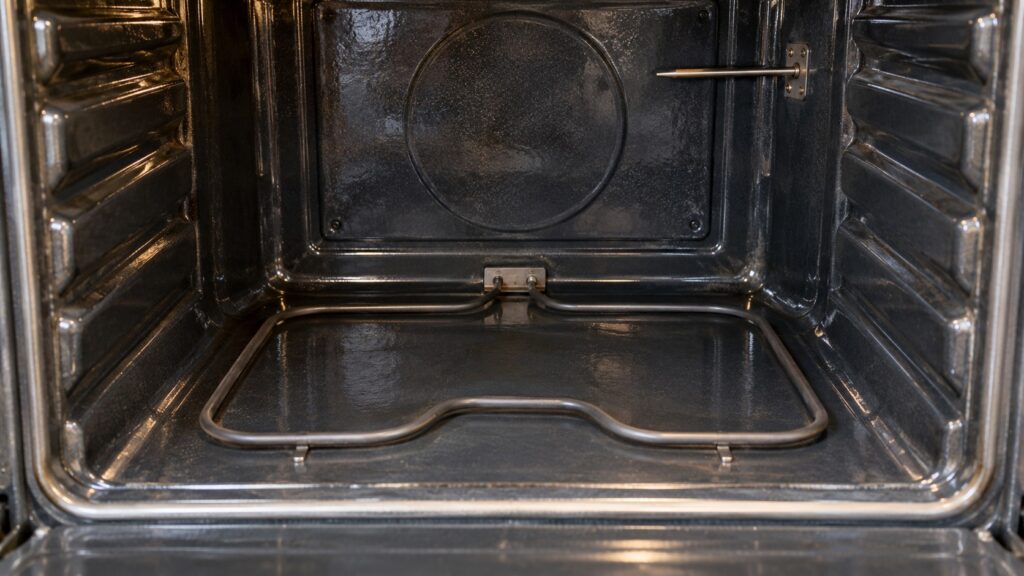
On a ProBake model the heating element sits behind the fan, so heated air is pushed forward across every rack. On a True Convection model a third element wraps around the fan so the air is already at temperature when it reaches the food. In both cases the fan is part of the heat loop rather than an accessory: when it stalls, the whole baking character of the oven changes, and the oven bakes unevenly. The control often reports this directly: F7 is the upper oven convection fan. Our ProBake and EasyClean glossary explains the names.
A separate cooling fan protects the electronics and keeps running after the oven is switched off. That is normal. If it stalls during a self-clean cycle, the control shows F27.
What happens when the loop fails?
There are three failure families. If the oven cannot heat, look at the bake element, the thermal fuse, the relay or the wiring, and the codes F9 and F19. If the oven reads wrong, look at the sensor, and the codes F1 and F4. If the oven heats too much, you are in safety territory: F2 signals a sensor short or a runaway high-temperature condition, and F6 means an overheat or a relay stuck closed, which can keep an element powered when the control thinks it is off.
For F2 and F6, switch the oven off at the breaker, standing on a dry floor, rather than waiting for it to cool or closing the door. Do not use the oven again until a technician has looked at it. For the other codes, pressing CLEAR/OFF and then cutting power at the breaker for 30 to 60 seconds clears a one-time glitch. If the code returns straight away, the control is reporting a live fault. Our LG oven F-codes guide lists every code in the family.
Which of these can you check, and which are for a technician?
You can note the exact code, check that the oven is not in a delayed-start or Sabbath mode that holds heat off, look through the glass for an element that does not glow evenly, and run the temperature-adjust setting with a thermometer. Everything else is a technician’s job. Do not open panels, and do not try to test sensors, fuses, relays or boards yourself. These parts sit behind the oven’s back and control panel on a hot appliance, and a wrong guess means a part ordered you did not need.
A technician will test the sensor, test the element and the thermal fuse, and check the relays and the supply voltage before replacing anything. If you want the visit to start well, tell the dispatcher the exact code, whether it was the upper or lower oven, and what the oven did before the fault. See how an LG oven repair visit works.